

Out-of-Band Management Is What Makes Network Resilience Possible.
Infrastructure is becoming increasingly distributed across data centers, server rooms, and colocation sites, all depending on a healthy production network. When that network fails, whether due to a core switch outage, a firewall lockout, or an OS boot failure, in-band tools such as SSH, RDP, and web GUIs can become unavailable. Each additional site adds another potential point of failure. Out-of-band management (OOBM) removes that dependency by providing a dedicated, physically separate access path. It gives IT teams secure, remote command-line access to servers, switches, storage systems, and PDUs, regardless of what is happening on the production network.
With secure serial-over-IP access through a console server, IT teams can reach devices even when the target OS or production network stack is unavailable, down to the bootloader or BIOS level. That makes OOBM the last line of access when a rack goes dark. Instead of sending staff on a multi-hour data center visit, teams can troubleshoot remotely in minutes, reducing mean time to repair (MTTR) and restoring service faster.
Why In-Band Management Alone Puts Your Uptime at Risk
In-band access methods, such as SSH, RDP, and web GUIs, rely on the same network path as the devices they manage. When that path fails, access to diagnose and recover the issue can fail with it. The result is not only system downtime, but a direct and measurable impact on the business.

Shared Path, Single Point of Failure
In-band management traffic runs on the same network as production traffic. When a core switch fails, a firewall locks out admins, or a server OS fails to boot, the tools needed to diagnose and recover can go dark with the infrastructure they are meant to fix.
41% of enterprises report $1M–$5M+ per hour when a critical outage hits

No Independent Recovery Path
When the production network goes down, in-band management has no separate channel to fall back on. Restoring access often means waiting for the network to recover or sending someone on-site to intervene, delaying response when every minute matters.
90%+ of enterprises report hourly downtime costs exceeding $300,000

No Recovery Path, Multiplied at Scale
Every additional site without an independent access path increases operational risk, especially when it is unmanned. In a data center, an outage can trigger an urgent response. At a remote substation or cell tower, it can mean a truck roll and hours of downtime before anyone even arrives.
$5M+ average hourly cost in Banking, Manufacturing & Utilities, multiplied by every unmanned site
Source: ITIC 2024 Hourly Cost of Downtime Survey
A Dedicated Management Network with a Serial Console Server
A serial console server connects to each device’s console port and turns it into a secure, remote recovery path independent of the production network. That means faster recovery, fewer truck rolls, and more reliable uptime.
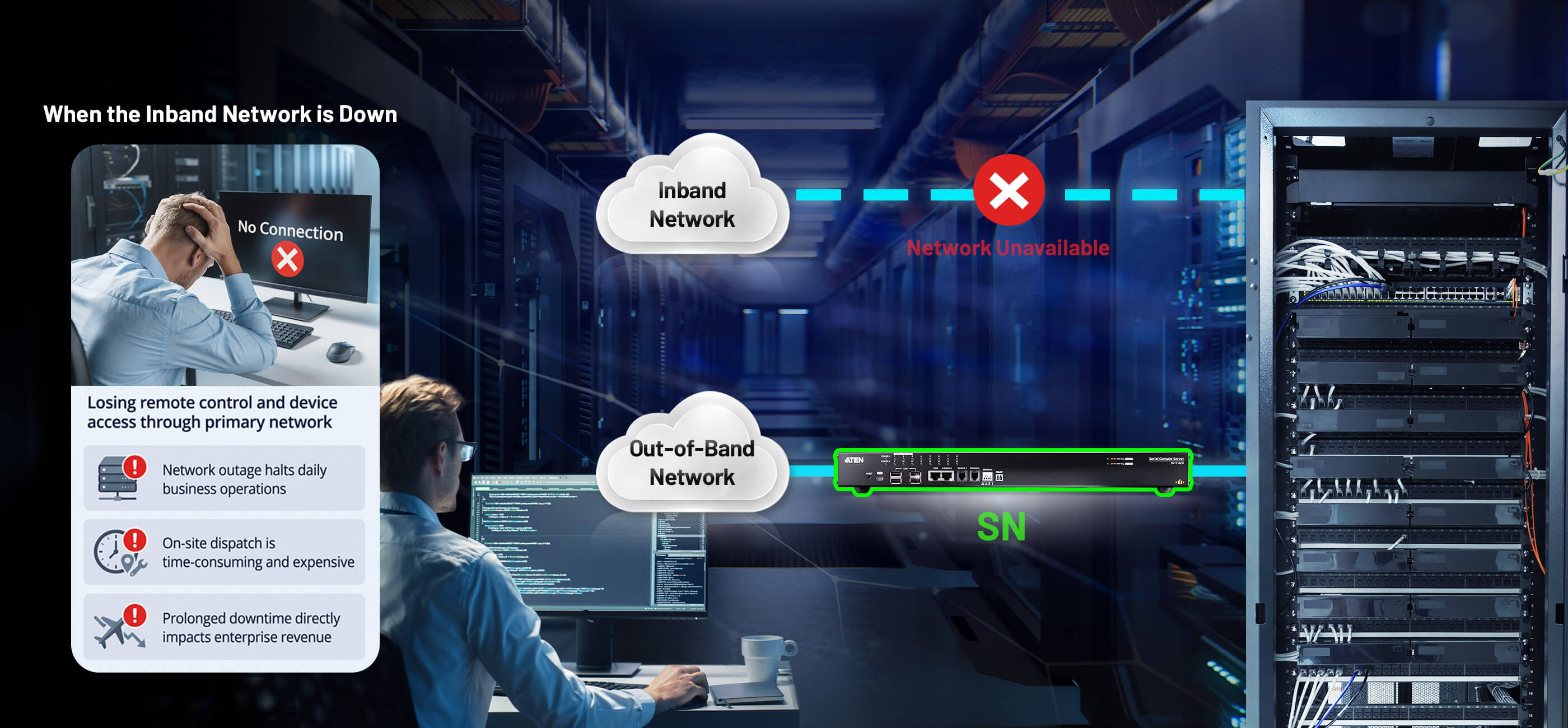
Network Resilience for Data Centers — and Versatility in the Field.

Data Centers & Server Rooms
Servers, switches, storage arrays, and PDUs remain accessible via console even when the OS is unresponsive or the production network goes dark. A dedicated out-of-band path keeps administrative CLI sessions isolated from production traffic.

Smart Factory & Automation
Securely access serial-based PLCs, RTUs, and industrial controllers for remote diagnostics, configuration, and maintenance without altering field wiring or interrupting active production lines.

Unmanned Remote & Edge Sites
Extend out-of-band management to cell towers, micro edge facilities, and remote branches with no on-site staff, giving IT teams resilient 24/7 CLI access.
Solutions in Action
How teams in the field are using the ATEN Serial Console Servers today.
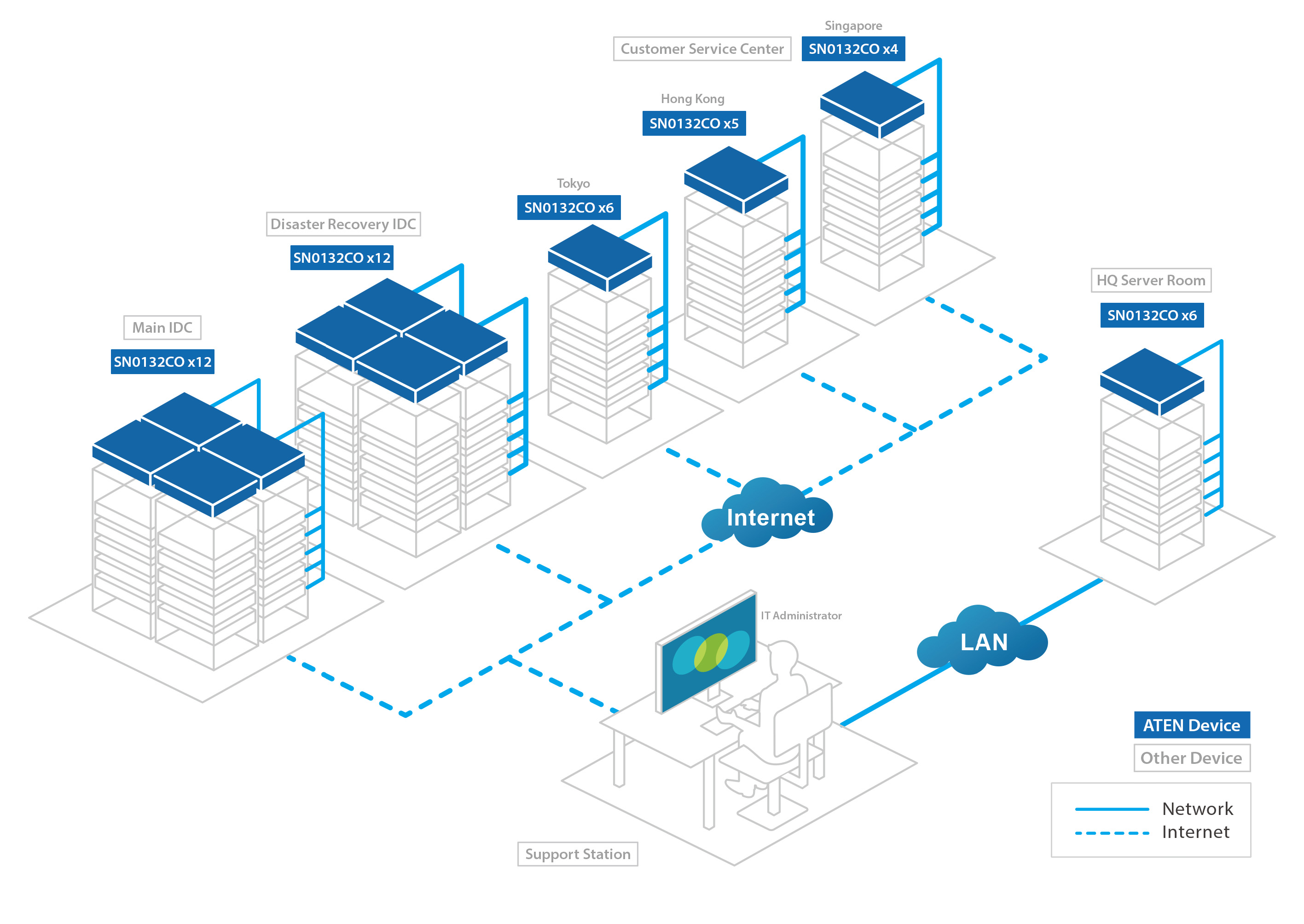
Out-of-Band Server Management for 24/7 Online Banking
Banking & Finance · Server Room
An internet-only bank — offering round-the-clock online banking, loans, and digital debit cards — needed to upgrade the serial console servers securing its server rooms. Already running on serial consoles, the bank needed newer, more capable models that could support future expansion without ever compromising the always-on availability promised to customers.
| Requirements | The ATEN Solution |
|---|---|
|
|

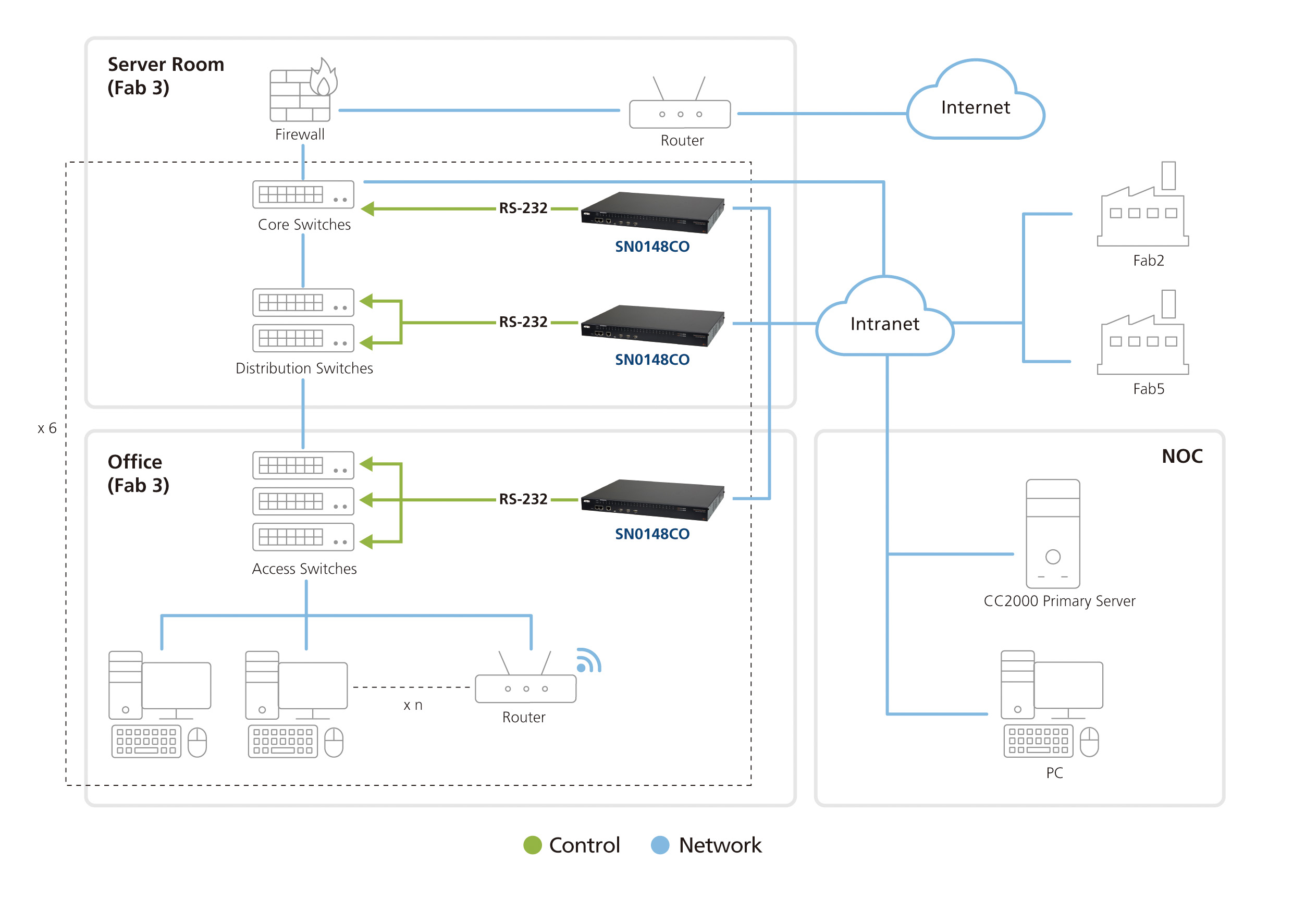
Simplifying Network Management in a Semiconductor Fab
Manufacturing & Industrial · Semiconductor Fab
A semiconductor company faced a complex network environment for managing devices across its fab. With ATEN SN Series console servers, the company can centralize device access and control, simplifying network architecture and remote management. This enables IT teams to manage and troubleshoot critical devices more efficiently, even when the production network is unavailable.
| Requirements | The ATEN Solution |
|---|---|
|
|

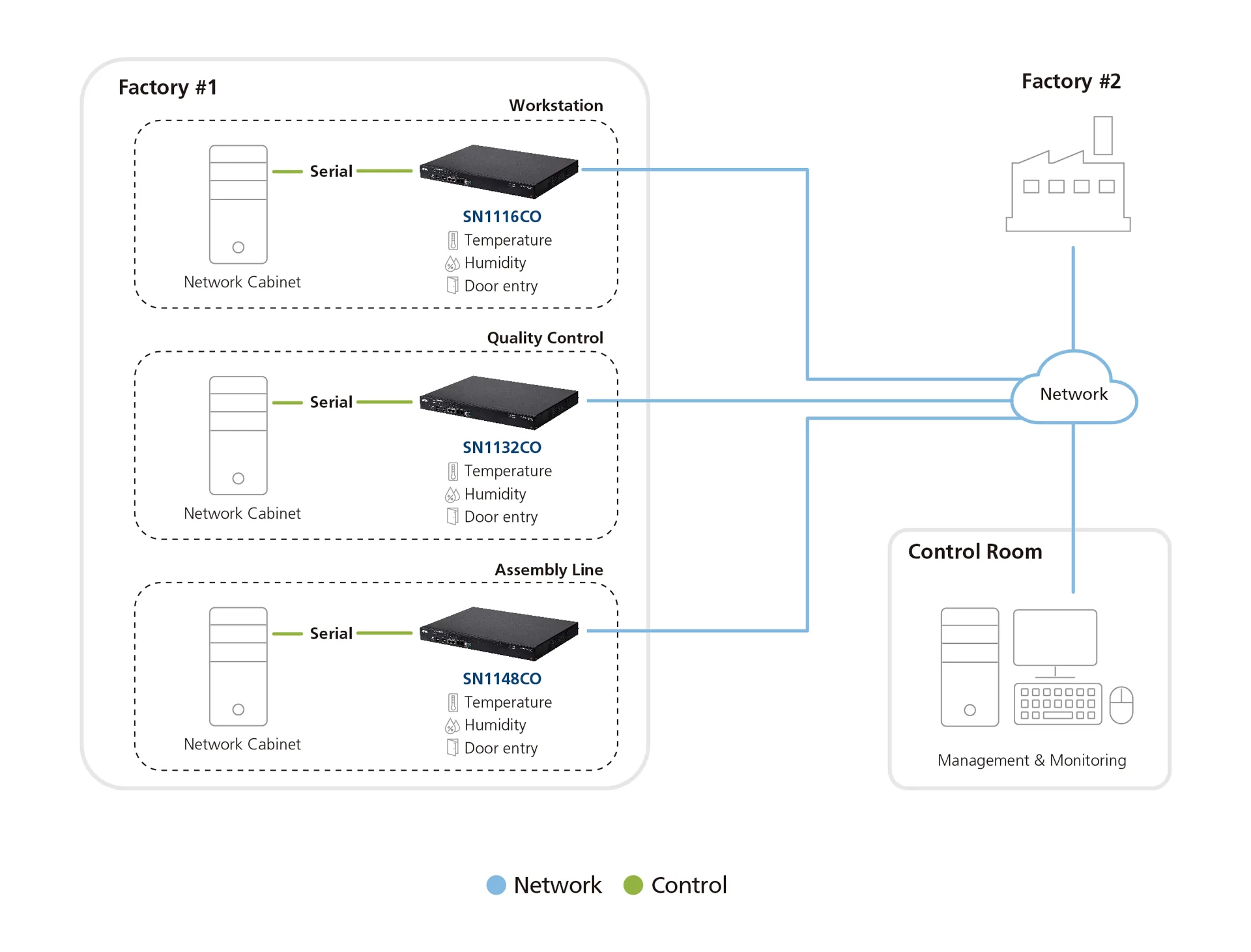
Centralized Serial Console Access Across Distributed Factories
Manufacturing · Server Vendor
A major server manufacturer needed centralized management of the network switches deployed across multiple factory locations — the backbone of each site's production network. Unlike a controlled server room, factory floors have variable environmental conditions and require constant monitoring of temperature and humidity. Any switch downtime or misconfiguration risked disrupting operations across the entire site.
| Requirements | The ATEN Solution |
|---|---|
|
|


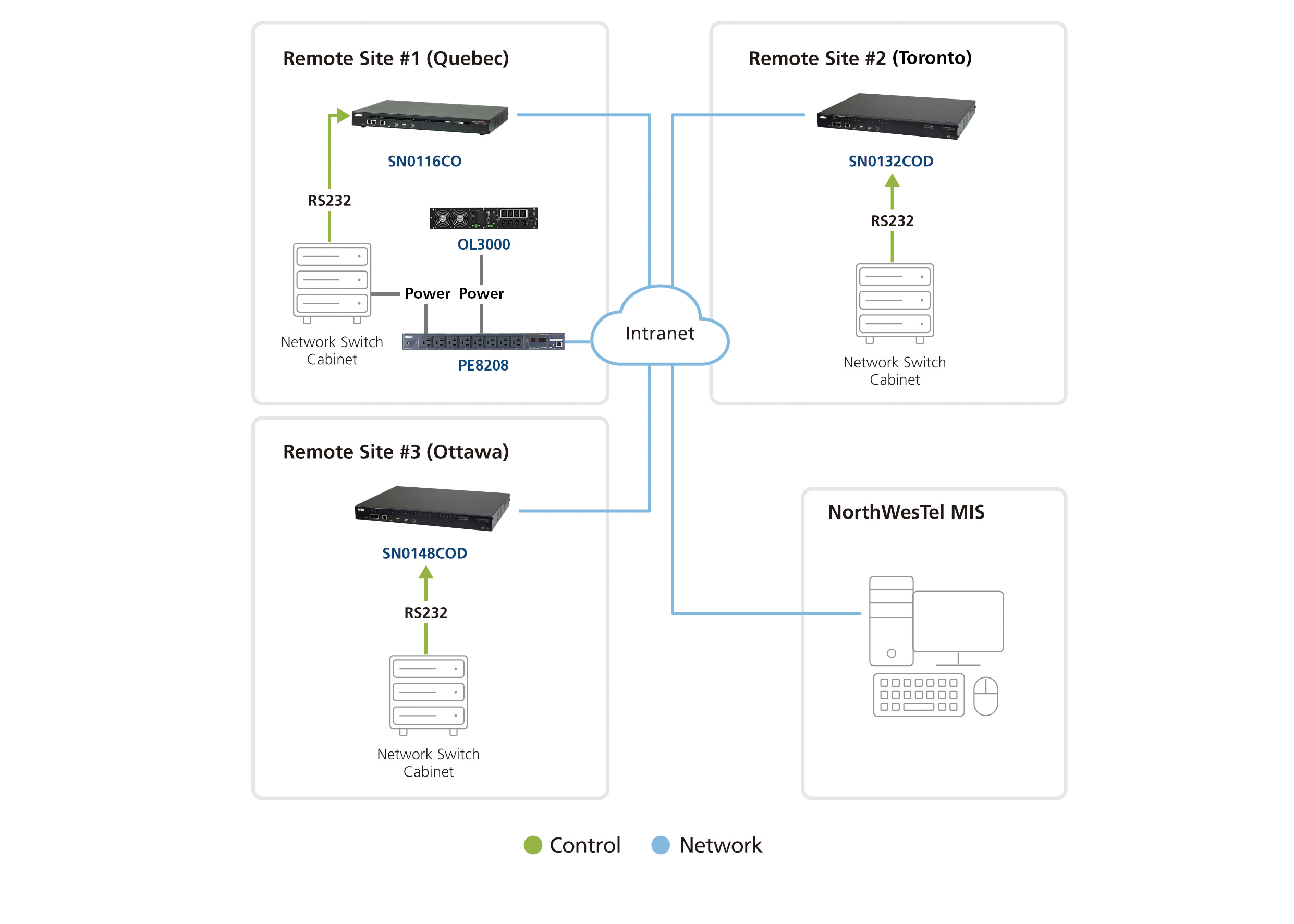
Powering Remote, Unstaffed Network Sites
Telecommunications · Remote Network Sites
A telecommunications company manages network equipment across many distributed sites, including remote base stations. With limited on-site staff, maintaining reliable access and troubleshooting across these locations can be challenging. ATEN SN Series console servers provide centralized out-of-band access, allowing the company to remotely manage and troubleshoot devices across all sites without requiring on-site intervention.
| Requirements | The ATEN Solution |
|---|---|
|
|

Key Features and Comparison

No Rollover Cables, Speedy Deployment
Auto-sensing DTE/DCE connects directly to Cisco network switches without rollover cables — faster deployment, one less thing to carry on-site.

Local Console Access
A dedicated mini-USB port lets a PC or laptop connect directly to the unit for local access and control — no network required.

Cellular OOB Redundancy
USB 4G dongle support gives Premium Series units a fully wireless out-of-band path when both wired uplinks are down.

Environmental Monitoring
Sensor ports on Premium Series units connect humidity, temperature, leak, and door/intrusion sensors — visibility beyond the network itself.

Direct Per-Port Access
Reach any connected serial device directly over SSH, Telnet, PuTTY, or a browser-based web GUI — no extra client needed.

Versatile Operating Modes
Console Management, Real COM Port, TCP/UDP Server-Client, and Virtual Modem cover a broad range of serial applications.

Device Health Monitoring
Response Check verifies the status of every connected serial device and sends a notification the moment one fails, a system crash included.

Centralized Management
Integrates with ATEN CC2000 for centralized data center management, and CCVSR for complete user session recording.

FIPS 140-2
TLS 1.2 and RSA 2048-bit certificates run on an embedded, FIPS 140-2 certified cryptographic module — the same standard across the lineup.
Product Comparison
SN91xxCO Series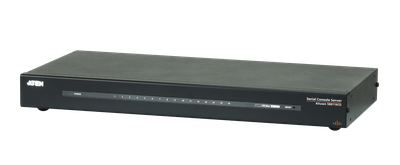 | SN01xxCO Series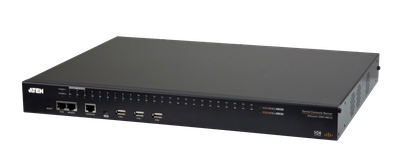 | SN11xxCO Series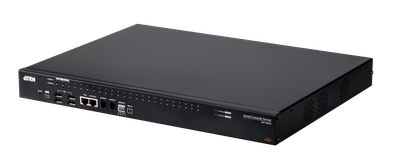 | |
|---|---|---|---|
| # of Serial Ports | 8/16 | 8/16/32/48 | 16/32/48 |
| Ethernet Port | Single LAN | Dual LAN | Dual SFP* |
| Power Supply | Single AC | Dual AC / Dual DC | Dual AC / Dual DC |
| Local Console Port | — | 2 (LUC, RJ-45) | 2 (LUC, RJ-45) |
| USB Port | — | 3 | 4 |
| Sensor Port | — | — | 3** |
| Relay Port | — | — | 1 |
| Modem Port | — | 1 | — |
| Operating Temperature | 0~40℃ | 0~40℃ | 0~55℃ |
Frequently asked questions
Quick answers on what the SN Series does and how to choose the right one.
Talk to Our Experts
Please complete the form below, and an ATEN Expert will contact you.
Server Room, Asia
Semiconductor Fab, Taiwan
Distributed Factories, Asia
Remote Sites, Canada
Implementation of RCM API to facilitate integration with any existing system


