Where to buy | Partner Portal | eShop

2-Port USB-C DisplayPort Hybrid Cable KVM Switch


CS52DP
  • One KVM console controls one USB DisplayPort computers and one USB-C device
  • Superior video quality – up to 4096 x 2160 @ 60 Hz
  • Computer selection via remote port selector
  • Supports DisplayPort Alternate Mode (DP Alt Mode) which enables the USB connection to carry DisplayPort signals
  • All Features
MSRP:Quote Upon Request
10-4K

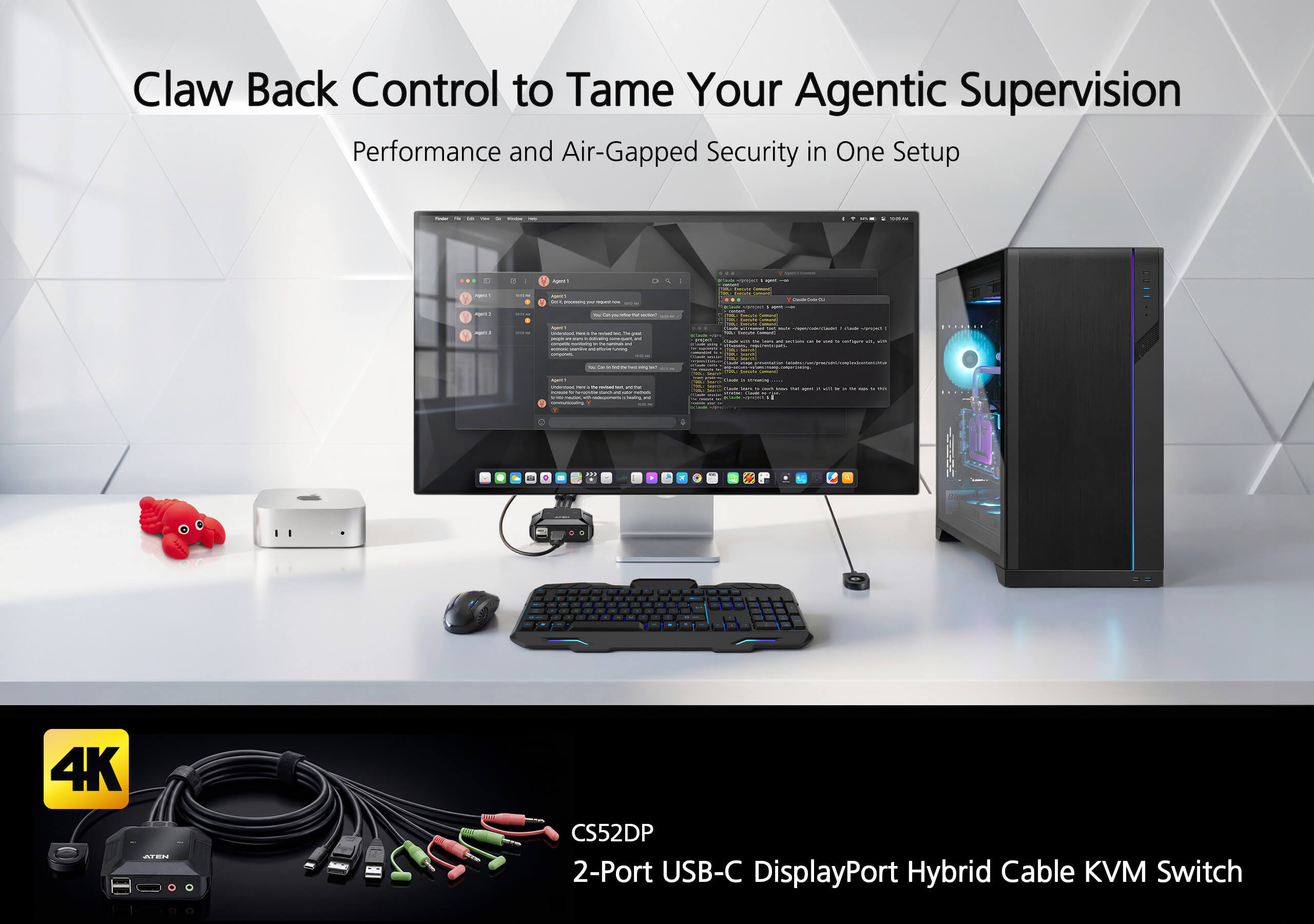
Stay ahead of the pack with a setup designed for the future of work. The CS52DP – 2-Port Cable KVM Switch – acts as a strategic claw, allowing you to seize control of a distributed desktop architecture with unwavering precision. This compact addition to your desktop integrates the mobility of USB-C and the reliability of DisplayPort into an all-in-one cable KVM design for the refined aesthetics of a de-cluttered workspace. Experience pristine 4K audiovisual clarity as you transition smoothly between professional routines and agentic workflows – ensuring your hybrid work remains fluid, focused, and firmly within your grasp.


Exceptional AV Performance in Vivid 4K

The CS52DP empowers your desktop workflows with 4K DCI audiovisual enhancement by presenting visual content in outstanding precision.

Space-Cost Efficient Desktop Setup

The compact CS52DP enables plug-n-play USB-C connection to a mobile device such as a laptop without going through a docking station, which is a useful, budget-friendly option to expand desktop workspace in a neat and tidy way.


Smooth Cross-Platform Integration

The CS52DP enables the integration of different computer systems (Windows, Mac, Sun, Linux, Android and iOS) that are accessible over one KVM console.


Flexible USB Peripheral Sharing

The console USB ports can be used for plug-n-play connection to compatible USB 2.0 peripheral devices to fulfill data-intensive desktop work requirements.

Applications

The CS52DP Cable KVM Switch is perfectly suited to time-critical and multitasking operations in the following scenarios.

Product Comparison

Talk to Our Experts

If you prefer to have ATEN contact you, please complete the form and a representative will be in touch with you shortly

Package Contents

  • 1x CS52DP 2-Port USB-C DisplayPort Hybrid Cable KVM Switch
  • 1x user instructions

The CS52DP 2-Port USB-C DisplayPort Hybrid Cable KVM Switch is a control unit that allows access to a USB-C device and a DisplayPort computer. With the CS52DP, you can quickly and effortlessly switch between two computers by using a convenient remote port selector pushbutton.

The compact CS52DP also brings in vivid 4K viewing quality to lift up work performance. Further advanced features of the CS52DP include the bus-powered mode and no need to install software or configure device. This plug and play switch is ideal for people who need quick control to multitask between a computer and a USB-C device on a desktop in any environment. Moreover, the compact design allows for an efficient and tidy installation, providing an ideal space-saving solution to keep your desk well-organized.


  • One KVM console controls one USB DisplayPort computers and one USB-C device
  • Superior video quality – up to 4096 x 2160 @ 60 Hz
  • Computer selection via remote port selector
  • Supports DisplayPort Alternate Mode (DP Alt Mode) which enables the USB connection to carry DisplayPort signals
  • DisplayPort 1.2 and HDCP compliant1
  • Bus-powered – no external power adapter required
  • The console USB ports can be used for USB peripheral sharing2
  • Multiplatform support – Windows, Mac, Linux, Android, and iOS
  • No software required
  • Hook design for space-saving and organized workstation
  • Supports USB hot-plugging

    Note:
    1. For DisplayPort 1.4 compliant display device, make sure to configure the device setting to be compatible with DisplayPort 1.2 to avoid compatibility issue.
    2. The CS52DP may require an external power supply via the USB Micro-B Power Port. For the USB Micro-B cable connecting to the USB Micro-B Power Port, it requires a separate purchase based on the type of the power supply you use.
Computer Connections2
Port SelectionRemote Port Selector
Connectors
Console Ports1 x DisplayPort Female
2 x USB Type A Female
1 x 3.5mm Audio Jack Female (Green)
1 x 3.5mm Audio Jack Female (Pink)
KVM (Computer) PortsCPU1:
1 x DisplayPort Male
1 x USB Type A Male
1 x 3.5mm Audio Jack Male (Green)
1 x 3.5mm Audio Jack Male (Pink)
CPU2:
1 x USB Type C Male
1 x 3.5mm Audio Jack Male (Green)
1 x 3.5mm Audio Jack Male (Pink)
Power (Optional)1 x USB Micro Type B Female
LEDs
KVM Port (On Line /Selected)2 (White)
Cable Length
KVM2 x 1.2 m
Remote Port Selector1.8 m
Emulation
Keyboard / MouseN/A
VideoUp to 4096 x 2160 @ 60Hz, 2560 x 1440 @ 144Hz
Power ConsumptionDC5V:0.74W:8BTU/h

Note:
● The measurement in Watts indicates the typical power consumption of the device with no external loading.
● The measurement in BTU/h indicates the power consumption of the device when it is fully loaded.
Environmental
Operating Temperature0 - 50°C
Storage Temperature-20 - 60°C
Humidity0-80% RH, Non-condensing
Physical Properties
HousingPlastic
Weight0.30 kg ( 0.66 lb )
Dimensions (L x W x H)8.34 x 8.42 x 3.04 cm
(3.28 x 3.31 x 1.2 in.)
NoteFor some of rack mount products, please note that the standard physical dimensions of WxDxH are expressed using a LxWxH format.