
Room Booking System - 10.1" RBS Panel Gen. 2
NewVR440


Integrates with ATEN Unizon and major calendar platforms while enabling secure RFID access, on-screen service requests, promotional content playback, and centralized real-time device and room usage management.
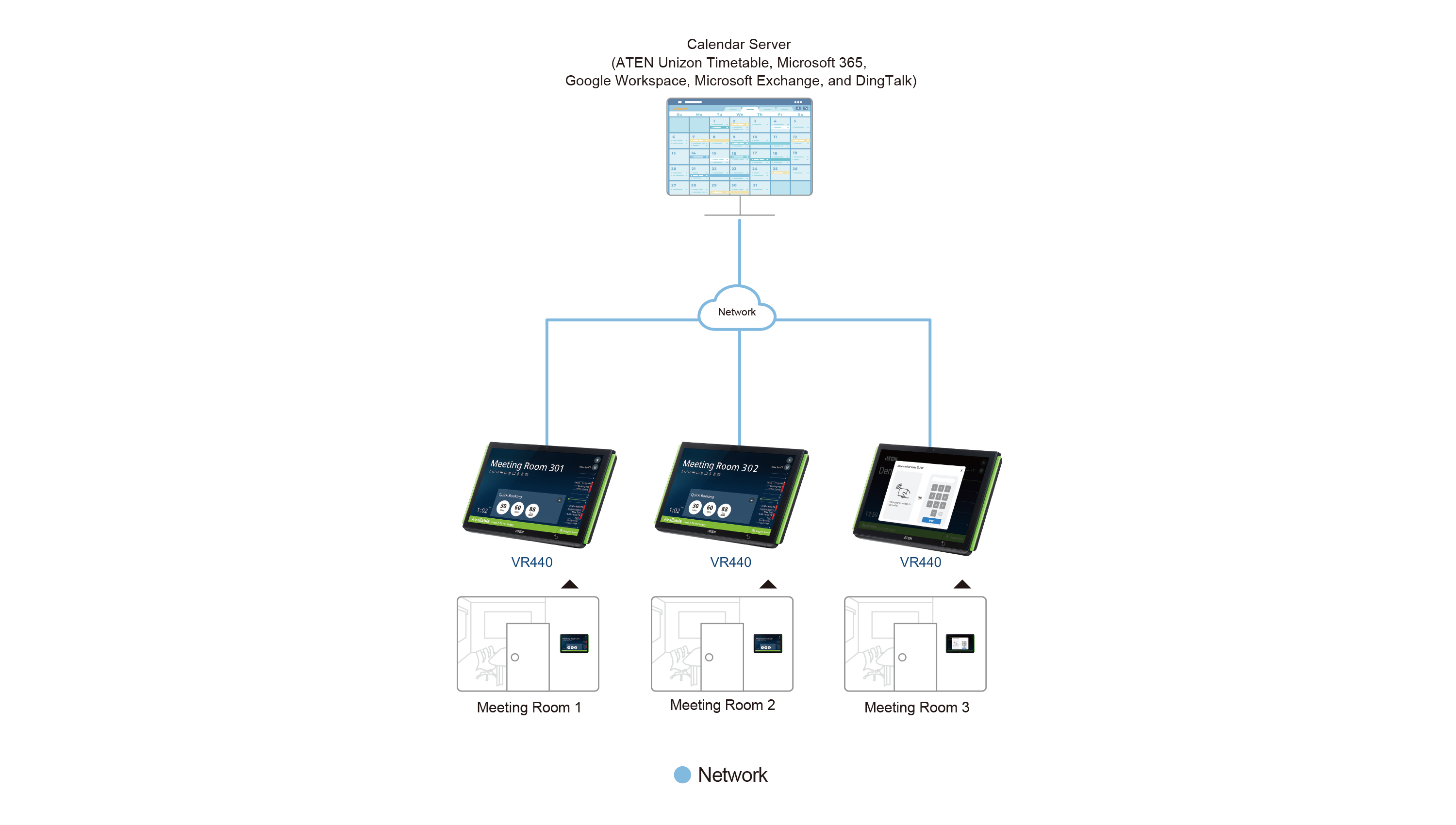
- Supports integration with ATEN Unizon Timetable and mainstream calendar servers such as Microsoft 365 Calendar, Google Workspace Calendar, Microsoft Exchange Server, and DingTalk
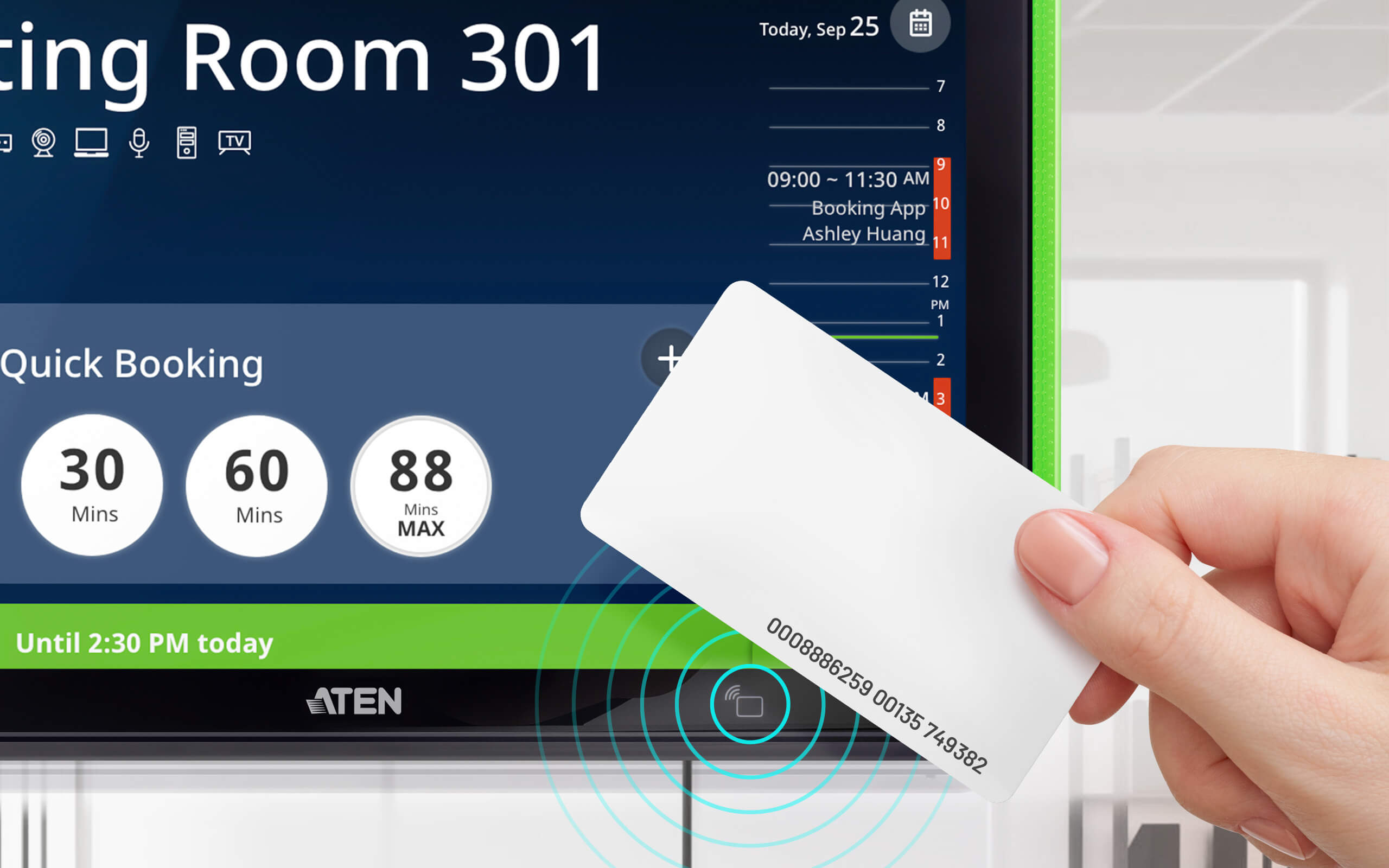
- Built-in RFID card reader enhances security and generates room entry activities and data analytics via ATEN Unizon
- Allows on-screen request for cleaning / catering / repair / replacement or report of any issue occurs to the in-room equipment
- In idle mode, the panel automatically plays company videos or promotional content, triggered by the built-in proximity sensor
- Central management through ATEN Unizon to allow administrators to monitor managed devices in real time, generate room usage analyses, and update app in batch
- All Features
MSRP:Quote Upon Request


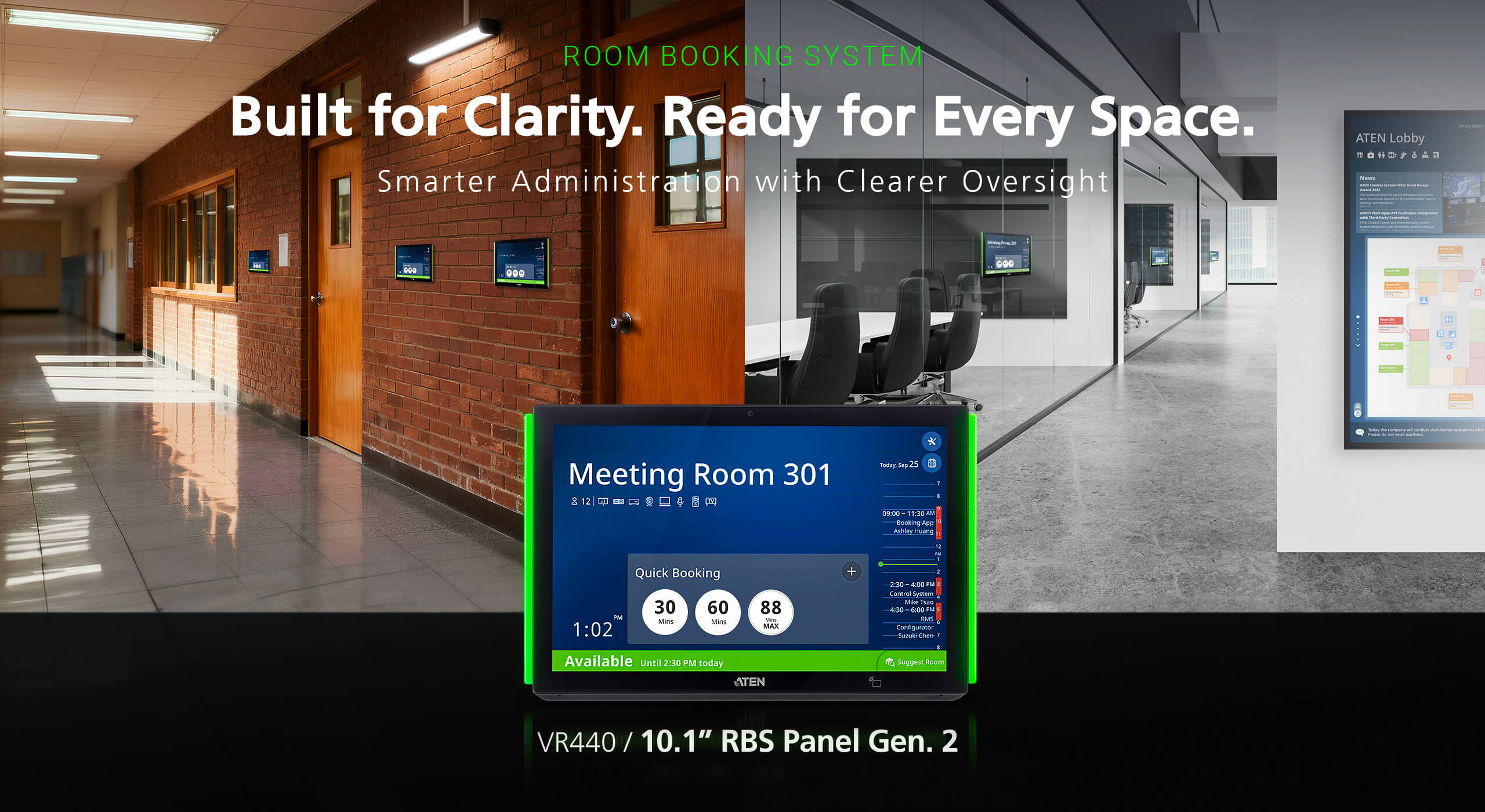
A Room Booking Panel Built for One-Tap Room Management
The VR440 is a room booking panel that enables quick room booking, check-in, check-out, cancellation, and room support with a single tap on the touchscreen. It is a key component of the ATEN Room Booking System—an efficient, streamlined room management solution designed for commercial and educational spaces of any size or purpose, such as meeting rooms and classrooms.
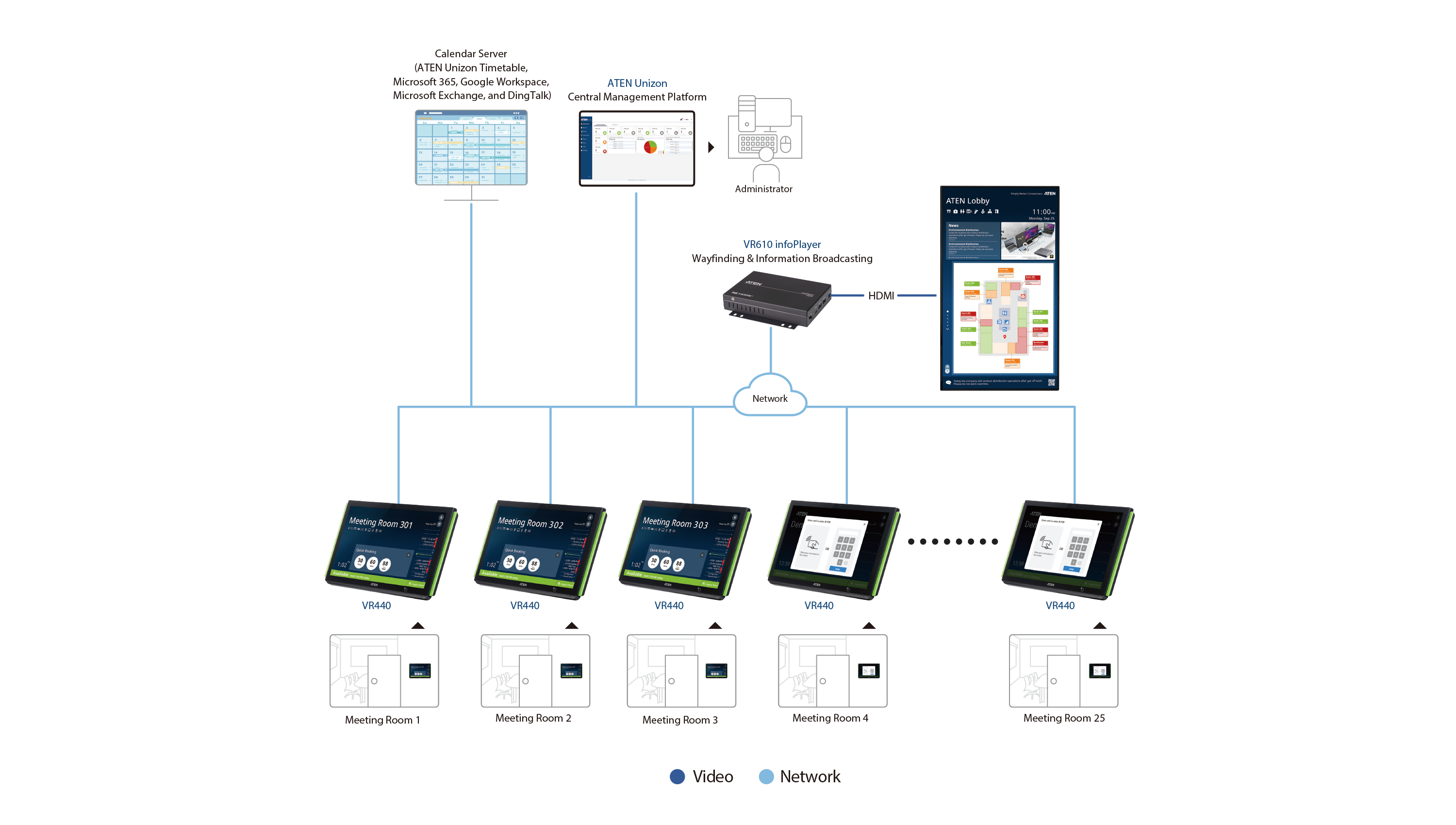
Each panel can be integrated with an on-site calendar service, including Microsoft 365, Google Workspace, and Microsoft Exchange Server, and can be customized via the RBS Configurator to refine the user interface and layout. In addition, room locations can be presented as a list or a map on an interactive display connected to a VR610 infoPlayer, serving as an intuitive wayfinding aid.
Best of all, all panels and infoPlayers can be managed through ATEN Unizon™, a global AV management platform that allows IT professionals to centrally monitor, control, and manage all room booking configurations and operations.
Proximity Sensor and Digital Signage Integration
The built-in proximity sensor automatically wakes the display as users approach, providing instant room availability at a glance without navigating menus. When idle, the VR440 can display announcements, branded messages or informational content, transforming idle panels into dynamic communication touchpoints.

Secure Room Booking with Access Control
Experience the perfect balance of convenience and security with integrated access card authentication. While room booking is just a simple tap away, credential-based verification ensures that check-ins are restricted to authorized personnel. This streamlined workflow maximizes room utilization while preventing unauthorized room usage in secure environments.
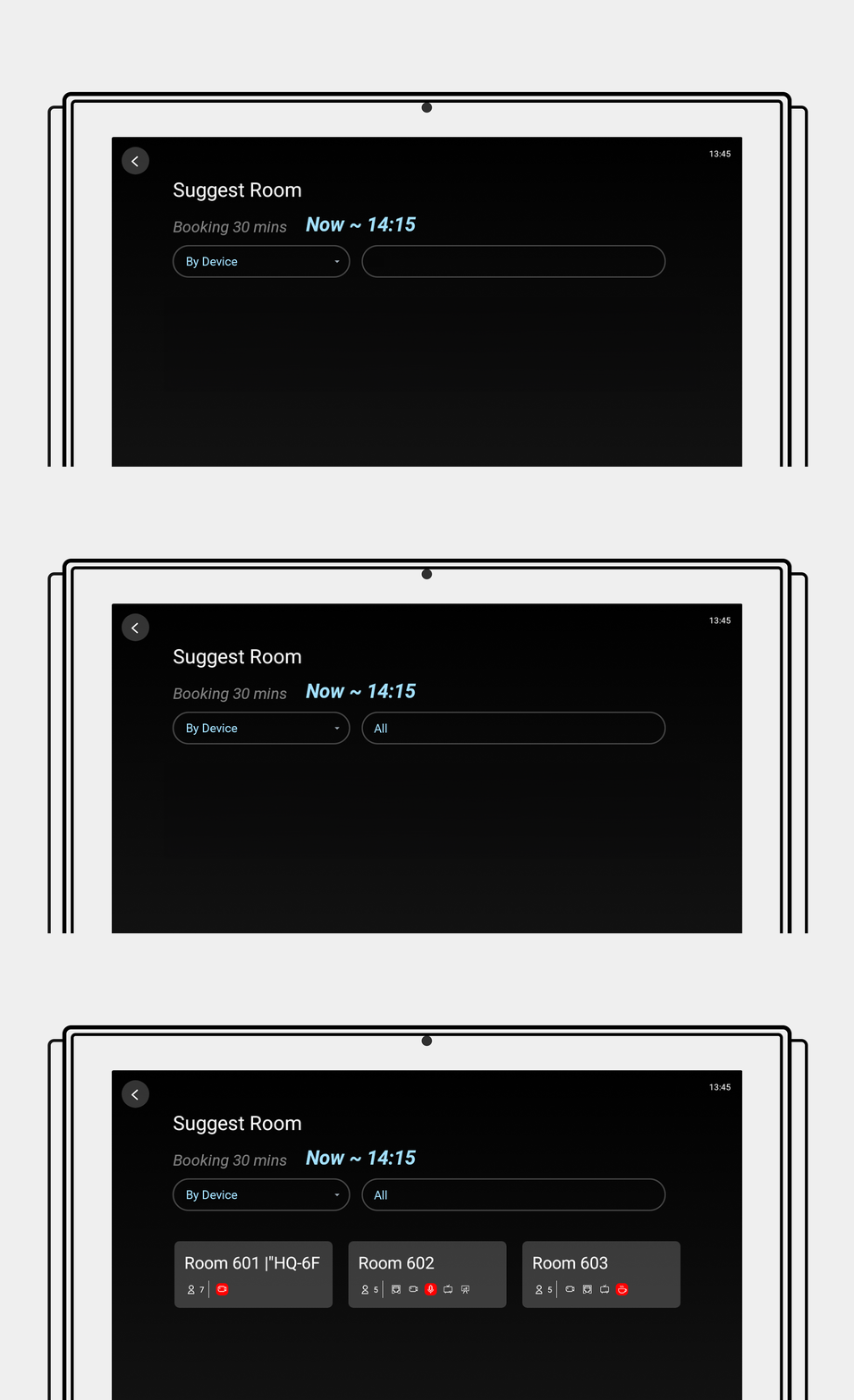
Intelligent Room Booking with Suggest Room
Beyond one-tap quick booking, the Suggest Room feature displays a quick view of available rooms based on duration, floor, seating capacity, and required equipment—making room scheduling effortless while optimizing overall space utilization.
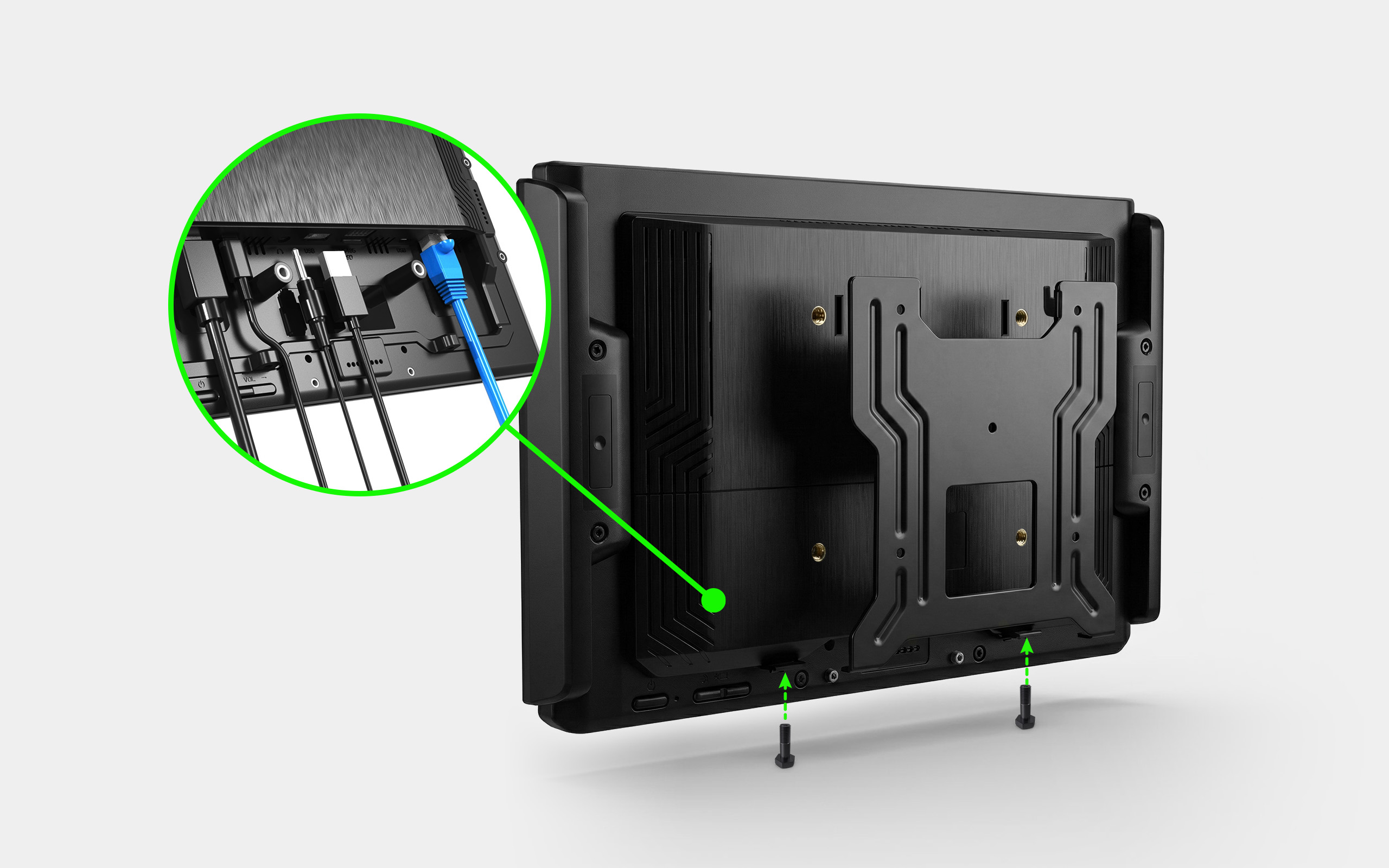
Slimmer Bezel, Stronger Mount
The VR440 features a slim 11 mm bezel that allows the panel to mount neatly against walls or glass surfaces for a clean, modern appearance. Its reinforced mounting design enhances installation stability and deters tampering in shared spaces, while the rear cable management layout keeps wiring organized and out of sight for easy maintenance in corridors and high-traffic lobbies.
Support and Service in Seconds
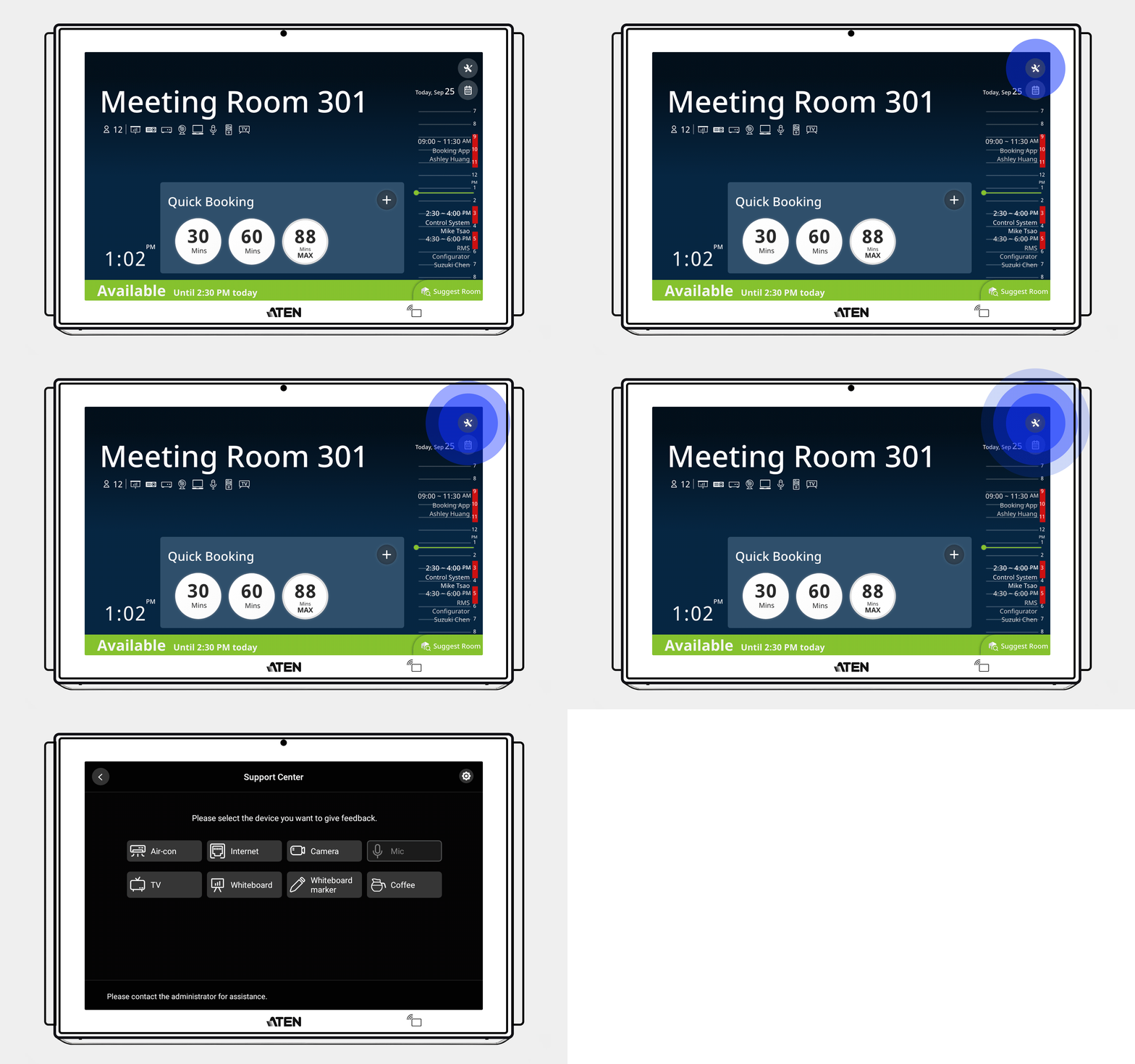
Integrated with ATEN Unizon™, the VR440 makes requesting room support as easy as tapping the Support Center icon in the upper-right corner of the panel. Whether submitting a hardware maintenance request for a selected device or placing a service call—such as coffee or beverage delivery—everything can be completed via the panel in seconds, ensuring meetings continue without interruption.
Centralized Room Management and Monitoring
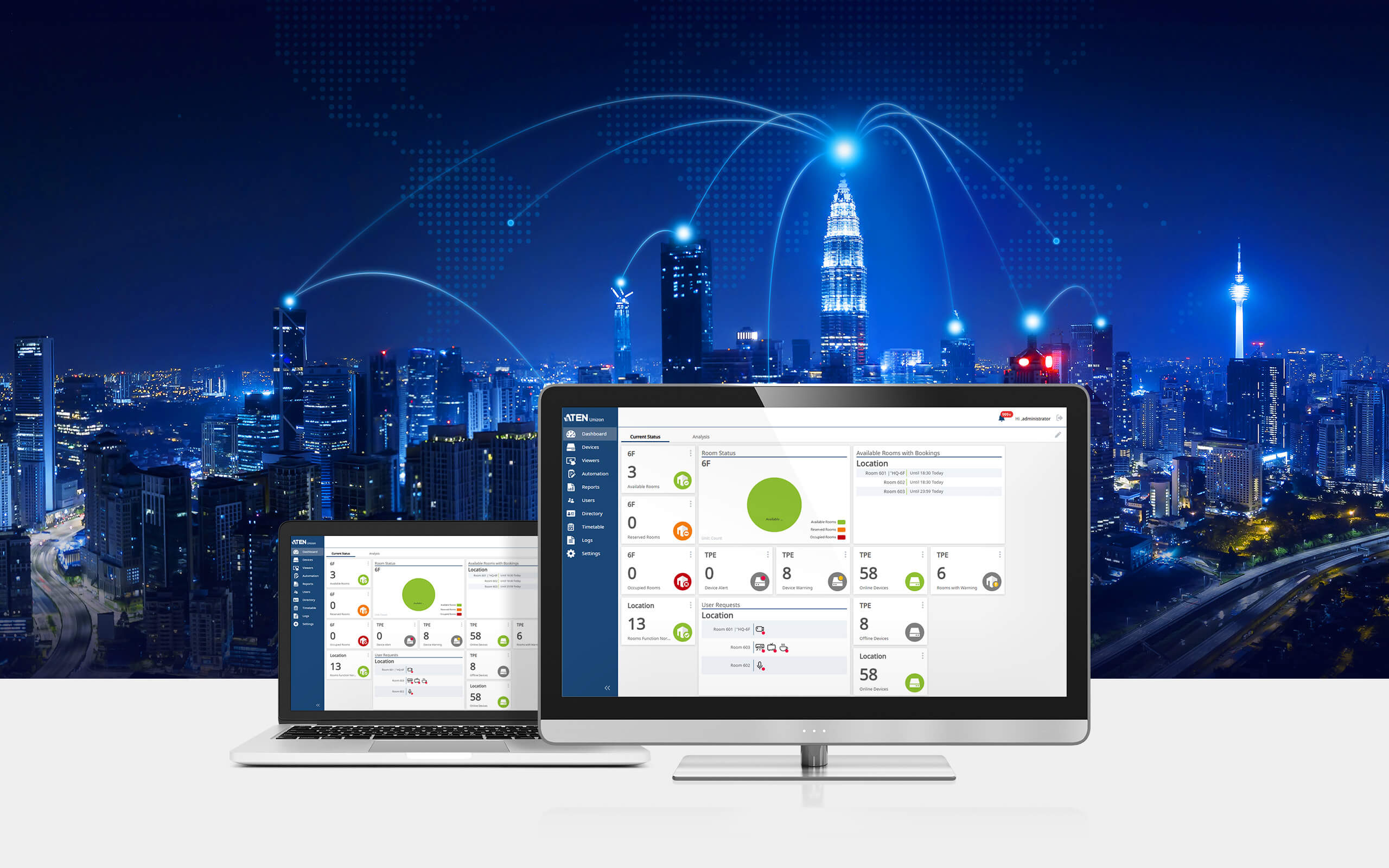
Integration with ATEN Unizon™ grants administrators a centralized view of panel status and room usage across entire organizations, building complexes, or campuses. As the pinnacle of the AV management hierarchy—integrating both the ATEN Control System and the Room Booking System—ATEN Unizon™ consolidates device health and activity data into a single interface, enabling teams to manage spaces more efficiently.
Built for Modern Workspaces and Educational Environments
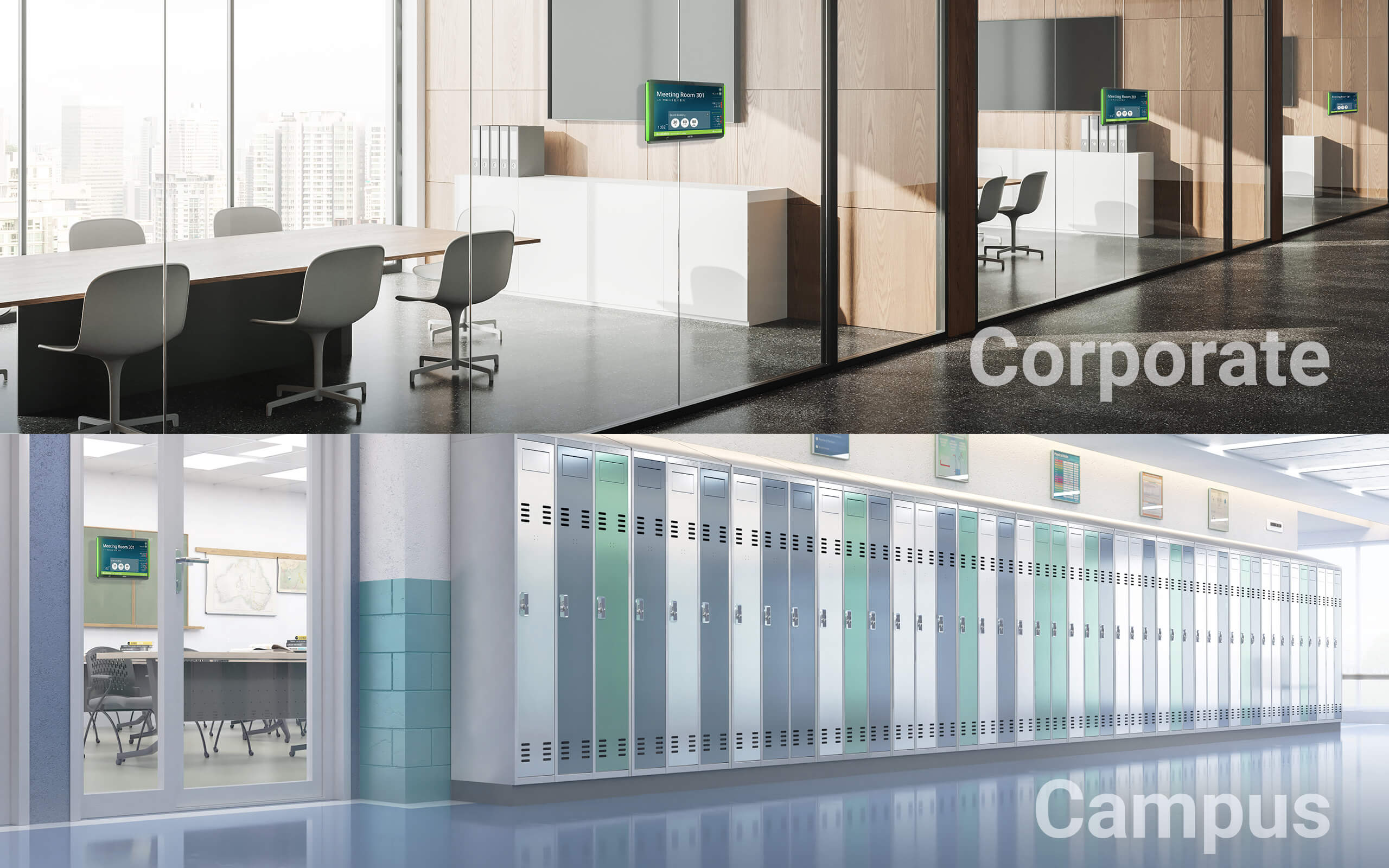
The VR440 is designed for modern commercial offices and educational environments, supporting IT administrators, facility managers, and campus operations teams with a consistent and intuitive way to locate, reserve, and access shared rooms. Its smart interaction design helps ensure seamless room scheduling and on-site room usage across workplaces and campuses, while reducing the need for user guidance and day-to-day management effort.
Package Contents
- 1x 10.1” RBS Panel Gen. 2 with 2 LED light bars
- 1x wall mount kit with 3M glass mount tape
- 1x 90° RJ-45 cable adapter
- 1x user instructions
User Manual
| File Name | Release Date |
| Room-Booking-System-CLI-guide-w.pdf (827 KB) | 2026-10-02 |
| rbs-vk401-vk430-vr440-vr610-user-manual-w.pdf (16.91 MB) | 2026-10-02 |
Quick Start Guide
VR440-10.1-RBS-Panel-Gen.2-qsg.pdf (948.75 KB)Firmware
| Description | Ver. | Release Date | File Name |
| Firmware Upgrade | v1.01.01j | 2026-10-07 | vr440-v1.01.01j.zip |
Note : For requests regarding firmware versions older than 3 years, please contact the Technical Support team.
Software & Drivers
| ОS | Description | Ver. | Release Date | File Name |
| Apps | ||||
| Software Upgrade | v2.1.202 | 2026-10-02 | RBS-APP-v2.1.202.zip | |
| Software Upgrade | ||||
| Software Upgrade | v2.1.202 | 2026-10-02 | RBS-Configurator-Setup-v2.1.202.zip | |

We are here to help! Please visit ATEN eService for technical assistance.

Note :
All products listed above have been verified for full compatibility with their intended use, where applicable (e.g., keyboard/video/mouse compatibility with KVM switches and extenders).
For any further functionality inquiries, please visit the Support Center for assistance.


PRODUCT ADDED TO CART

